


ScreenCoach - Parental Control
4.47.00 Reviews
App Specs
- Version
- 1.73.1
- Updated On
- License
- Free
- Downloads
- 10,000+
- Developer
- LifeTech Balance Pty Ltd
- Categories
- Parenting
- Platform
- Android
Screenshots
 Analysis by AppCompare
Ever felt like your kids are spending way too much time glued to their screens? I totally get it. With the digital age swooping in, managing screen time has become a mission for many parents out there. That's where ScreenCoach - Parental Control steps in. This app is like your digital assistant, helping you keep a check on your kids’ screen activities with ease.
Getting Started with ScreenCoach
Setting up ScreenCoach is a breeze. Once you download and install the app, you're greeted with a friendly interface that's super easy to navigate. I was impressed with how intuitive the setup process was. You just follow the prompts, and before you know it, you're ready to roll.
The app lets you create individual profiles for each child, which is a lifesaver if you have more than one kiddo to monitor. Each profile can be customized with specific screen time rules and schedules. It's like having a personalized screen time manager for each member of the family.
Main Features That Stand Out
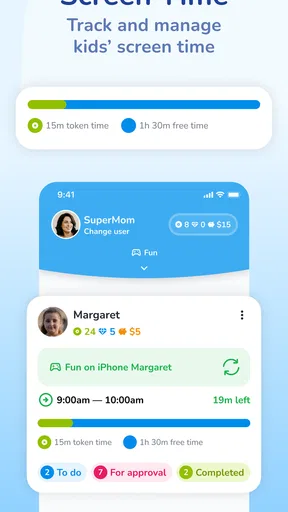
One of the standout features of ScreenCoach is its ability to set daily screen time limits. You can decide how much time your child spends on their devices each day, and once they hit their limit, the app will automatically lock the device. Pretty neat, right?
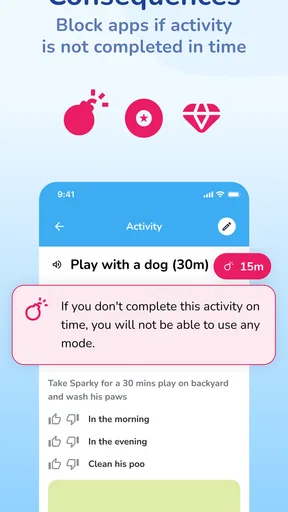
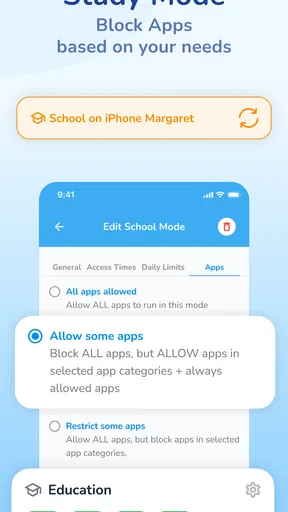
The app also allows you to block specific apps or categories of apps. This means if you want to banish games during homework time, you totally can. Plus, with the app’s reporting feature, you get a clear view of how your kids are spending their screen time, from gaming to social media, it’s all there.
Keeping the Family in the Loop
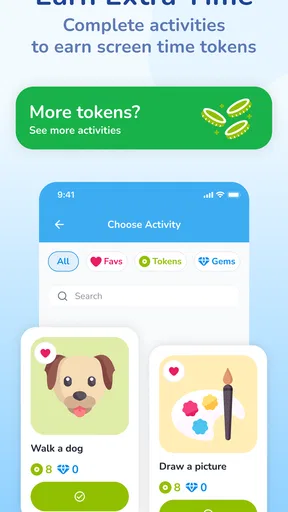
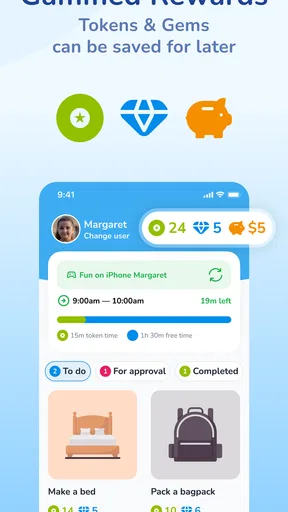
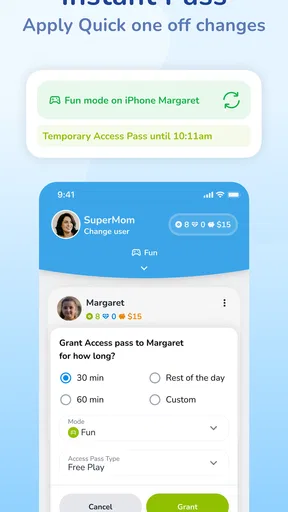
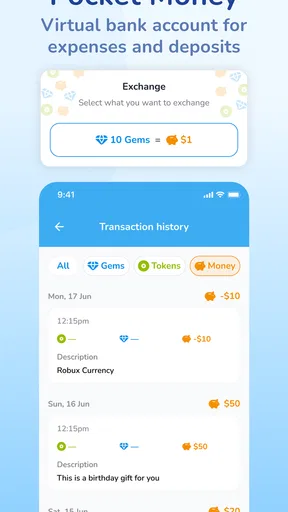
I really love how ScreenCoach keeps the whole family involved. The app encourages healthy screen habits by rewarding kids with extra screen time for completing chores or homework. It's a great way to motivate them to earn their screen time privileges while getting things done around the house.
The family dashboard is another cool feature. It allows you to manage and monitor all your kids’ devices from a single place. Whether you're at home or on the go, you can easily adjust settings and keep tabs on their activities.
Worth Reading Before You Choose

EA SPORTS FC Mobile 26 Is a Bigger Football Game, but It Takes Time

Flipboard Shows What News Apps Must Do Beyond the Feed

Switching to Android Auto Means Rethinking Your Driving Routine

Google Calendar Makes a Crowded Week Easier to Manage

Ludo King Makes the Most of the Minutes Between Plans

Baby Panda World Brings Quick Play to Modern Phones, but Its Game Library Feels Busy
User-Friendly Experience
What makes ScreenCoach stand out is its user-friendly design. Both kids and parents will find it straightforward to use. I appreciated the clear instructions and the fact that you don’t need to be a tech whiz to get the hang of it. The app’s design is clean, and navigating through different settings is a breeze.
Not to mention, the customer support is solid. If you ever run into issues or have questions, their team is quick to respond and super helpful. It's reassuring to know that help is just a click away.
Conclusion
All in all, ScreenCoach - Parental Control is a fantastic tool for any parent looking to manage their kids’ screen time effectively. It's packed with features that not only help set boundaries but also promote positive screen habits. With its easy setup, intuitive interface, and comprehensive monitoring capabilities, it's a definite win in my book.
If you're on the hunt for a reliable screen time management app, give ScreenCoach a whirl. It's like having a digital nanny, making sure your kids’ screen time is balanced with their offline activities. Plus, it gives you peace of mind, and who wouldn’t want that?
Pros
- User-friendly interface for easy navigation.
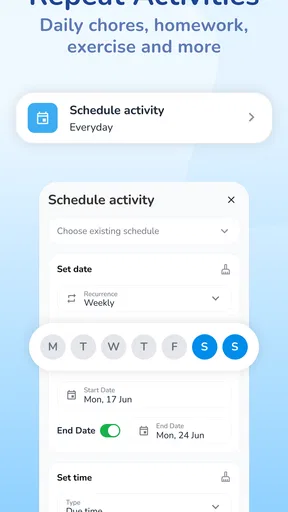
- Customizable schedules for screen time.
- Detailed activity reports provided.
- Compatible with multiple devices.
- Real-time alerts for peace of mind.
Cons
- Limited features in free version.
- Some features require constant internet.
- Occasional sync delays between devices.
- Not available on older OS versions.
- Can be complex for tech-averse parents.
FAQs for ScreenCoach - Parental Control
What is ScreenCoach - Parental Control and how does it work?
ScreenCoach is a parental control app designed to help parents manage their children's screen time across multiple devices. It allows you to set schedules, restrict access to certain apps, and monitor usage. By syncing with your child's devices, ScreenCoach provides real-time data and alerts, ensuring they stay within healthy screen time limits.
Is ScreenCoach compatible with both Android and iOS devices?
Yes, ScreenCoach is compatible with both Android and iOS platforms. This ensures that regardless of the device your child uses, you can effectively manage their screen time. The app supports a range of devices, making it versatile for families with multiple types of technology.
How easy is it to set up ScreenCoach on my child's device?
Setting up ScreenCoach is straightforward. After downloading the app, you follow a guided process that includes creating an account, linking your child’s devices, and setting up personalized screen time schedules. The user-friendly interface ensures that even those less tech-savvy can easily navigate the setup.
What features does ScreenCoach offer to help manage screen time?
ScreenCoach offers a variety of features including customizable schedules, app blocking, usage reports, and real-time alerts. These tools allow parents to set limits on screen time, block inappropriate apps, and receive notifications if children exceed their limits, promoting healthier digital habits.
Are there any costs associated with using ScreenCoach?
ScreenCoach offers both free and premium subscription options. The free version provides basic features, while the premium subscription unlocks advanced tools like detailed usage reports and additional customization options. Pricing details are available on the app’s download page, allowing you to choose the best plan for your needs.


